NETTLA SOCIAL SHIPPING SOCIAL FEATURES AT STARTUP SPEED
Nettla's app had been optimised around what clubs wanted. Players wanted something else: friends, stats, messaging, and a feed to tie it together. I joined as a freelance product designer to repair the design system and ship those features fast, without the luxury of A/B tests and long investigations.

A feed of what the club is doing, and the player profile behind every friend request. The booking tool became somewhere players come back to between games.
Nettla is a startup building a white-label platform for racket sport bookings: padel, tennis, pickleball and squash. It is an alternative to the big booking marketplaces: instead of listing on someone else's platform, clubs get their own branded app and keep full control of their brand and their customer data.
The app ships in two forms. There is Nettla's own version, which carries every club on the platform, and there are single-club builds for clubs that want their own app, with their name, colours and logo throughout. Padelstars 2.0 is one of those branded builds. Everything I designed had to hold up in both.
An app built for clubs, and players asking for something it wasn't.
Nettla had spent a long time optimising the app around what the clubs wanted. The players were now asking for something different: friends, stats, messaging, and a social feed that pulled it all together.
The product had also been shipping for a period without a designer. New components had gone into the Figma library without a place to live, so past a certain date it was hard to find what already existed. Programmers had started designing ideas freehand rather than from the library, and spacing showed it: the same kind of module set differently from one screen to the next.
Process is a tool, not an end in itself.
Before opening Figma to draw anything new, I went through the existing design system component by component: what could be reused as-is, what could be modified to support the new features, and where I would need to build something entirely new that still felt native to the library. That gave me a foundation to build on, instead of adding another layer on top of the drift.
- Talked to the product owners about what they actually needed. They knew they wanted a friends feature, but had no clear picture of how it should be presented or how it should work in practice.
- Was upfront about the risk of designing quickly without testing, so we could decide together where it was worth putting the effort and where “good enough” was genuinely fine.
- Built every new feature as a complete flow in Figma, then walked developers and decision-makers through it before anything got built.
- Used the Figma agent and loaded Nettla's design system into Claude Design to iterate on ideas quickly, combined with manual design work.
- Tested each feature once developers had it running in the dev app, gave feedback, and flagged anything needing more polish to the product owner so we could prioritise together: what was worth the time, and what could wait.
A map before a pen.
The library had stopped being navigable, so the first job was reading it: what was already in there, before deciding what to adapt and what had to be built.
- Adapted
-
Existing components given new variants, so the new features matched the old.
- Buttons — size, copy style and colour, across the friend system, QR sharing and scanning, and feed invitations
- Search field
- Notification module — carried friend requests
- Settings
- Club navigation — club info, social feed and club home, assembled from elements already there
- Levels screen — a new version of the screen that already existed, with sheets of its own
- Built new
-
Nothing in the library covered these.
- Head to head stats — the app had no concept of a record between two players
- Padel and tennis level displays — new modules for both, with their descriptions
The friends system and the social feed arrived as ideas with no form: no visuals, no navigation, and no flow for finding a player, adding them, or sharing a profile to be added back. Those were drawn from the brief, out of the parts above.
Clubs arrange their own Club Home, and the Social Feed fills with whatever happens next. So no module could assume what sat above or below it: each is a Figma component that stands on its own and works anywhere in the stack.
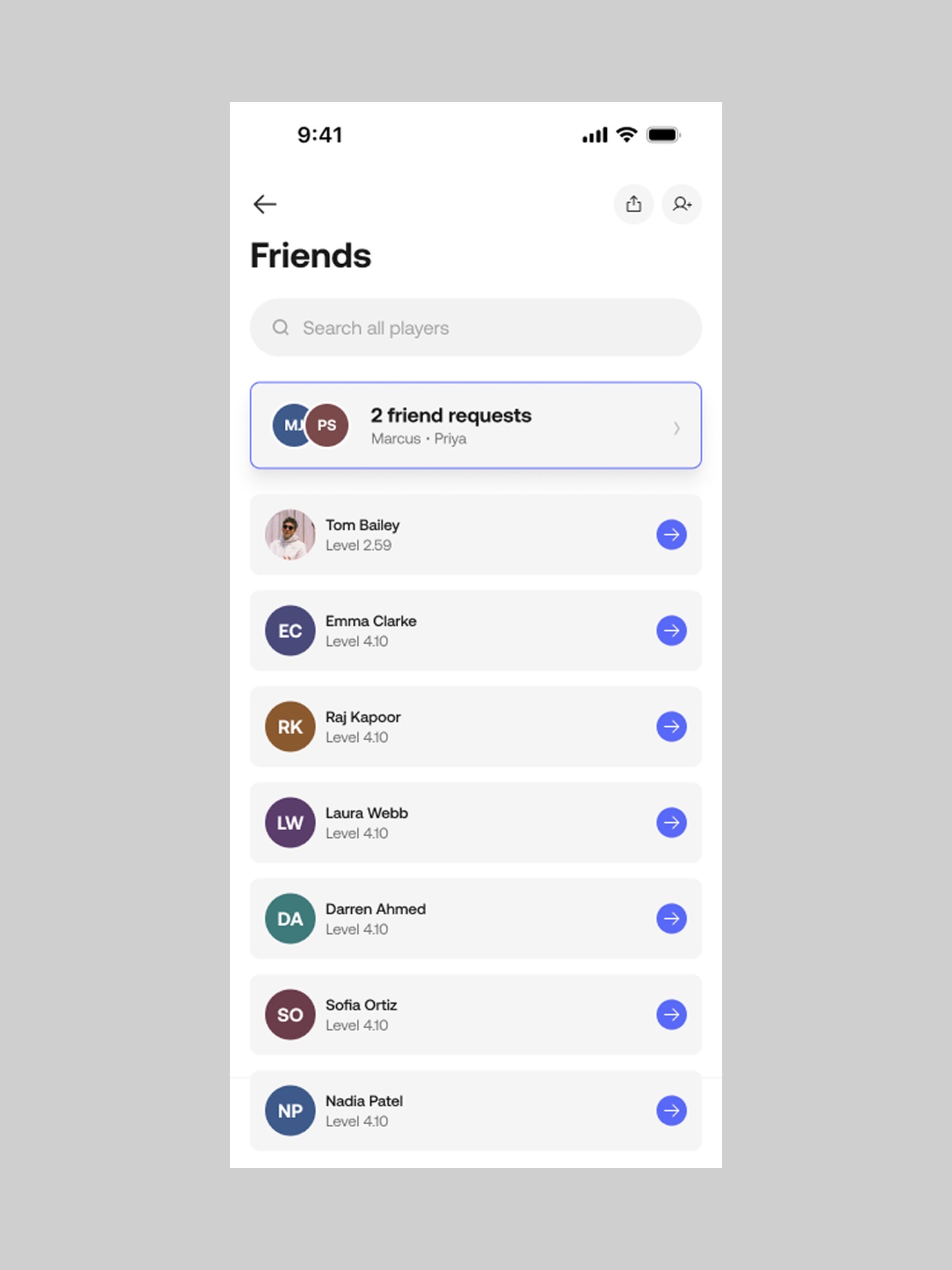
The feature the product owners wanted but couldn't yet picture. Designed as a full flow before a line of code.
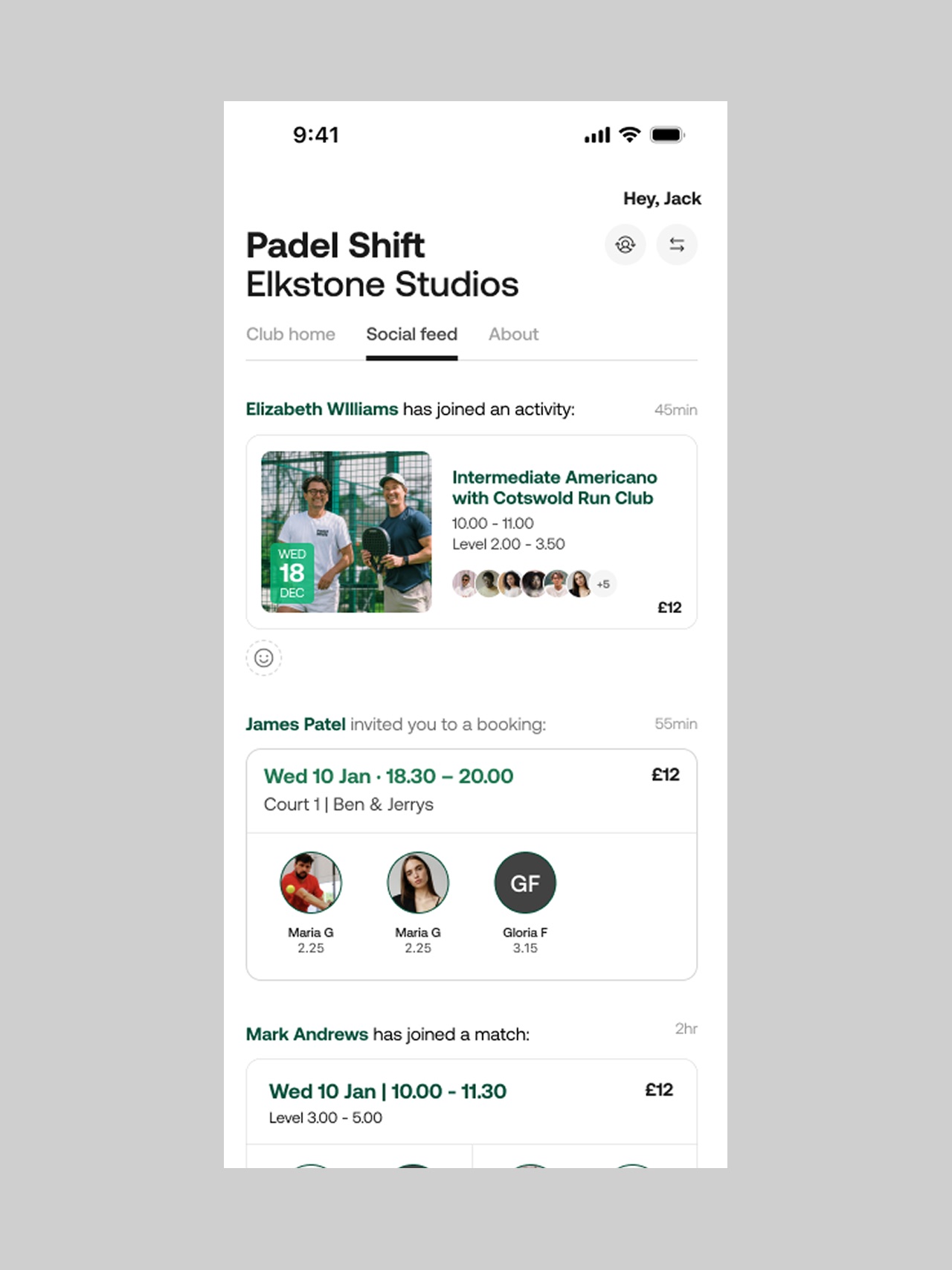
The thread that ties bookings, results and friends into one place worth opening.
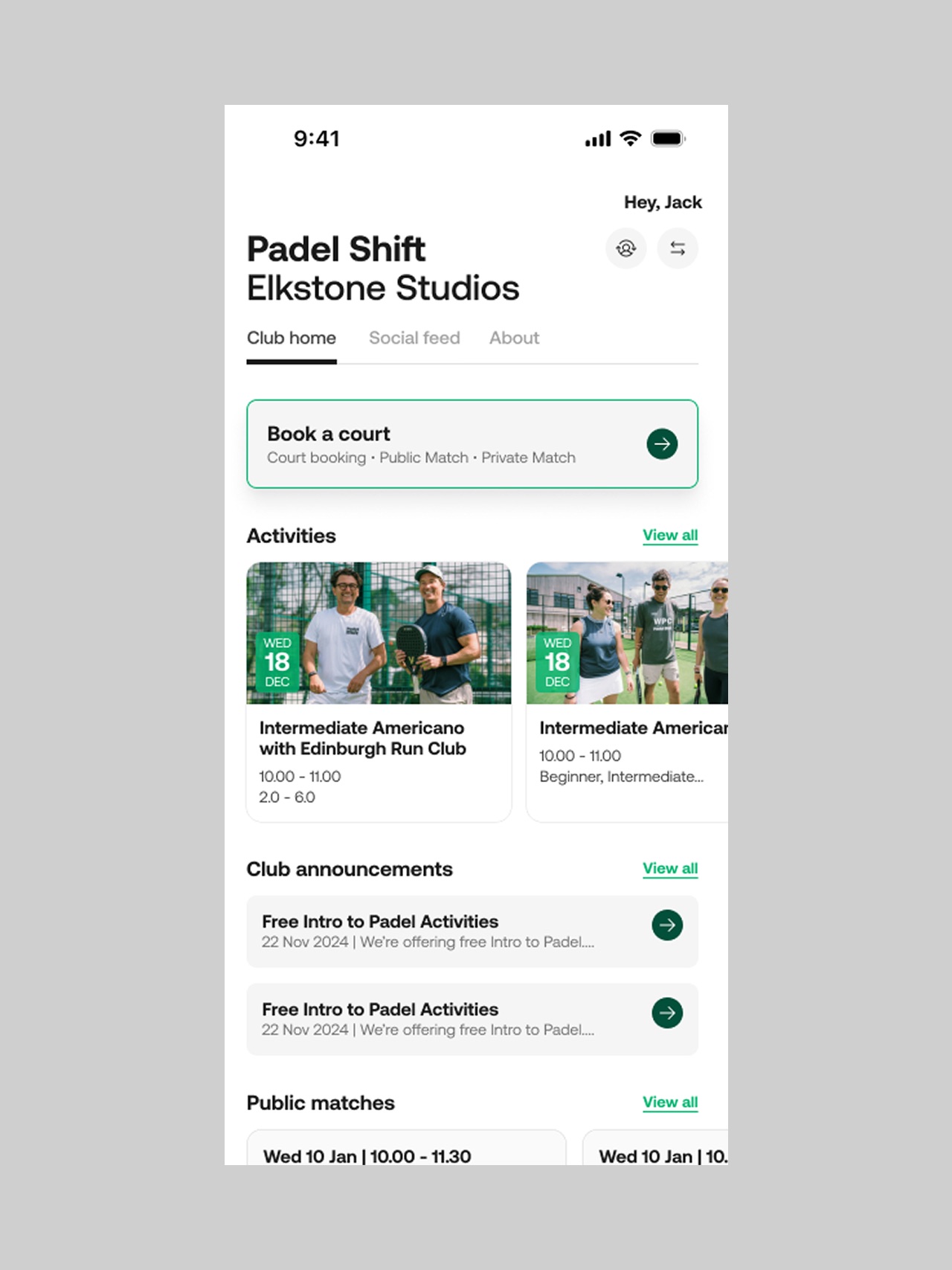
The club's own front page inside its own branded app.
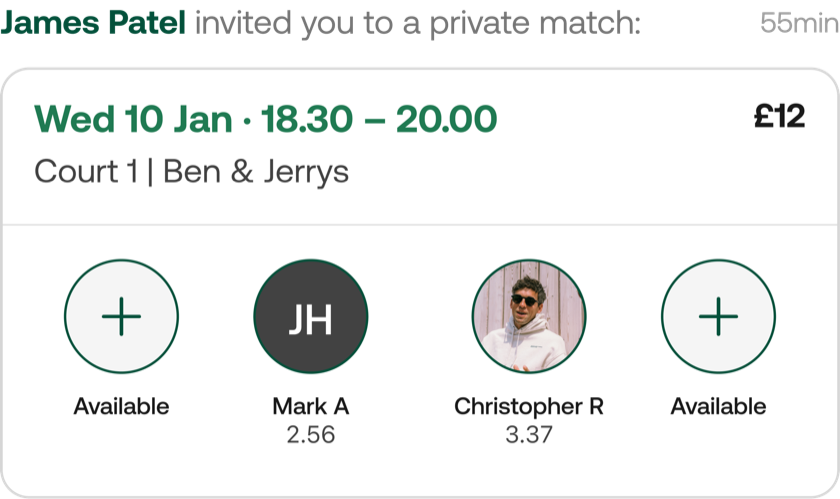
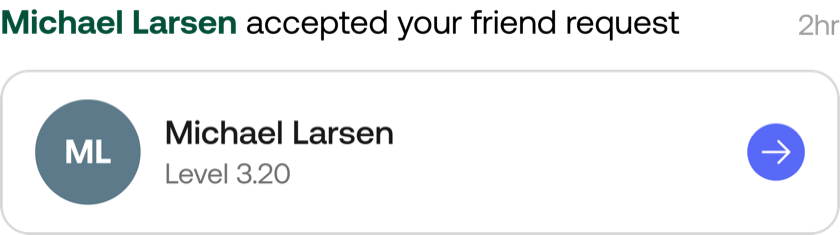
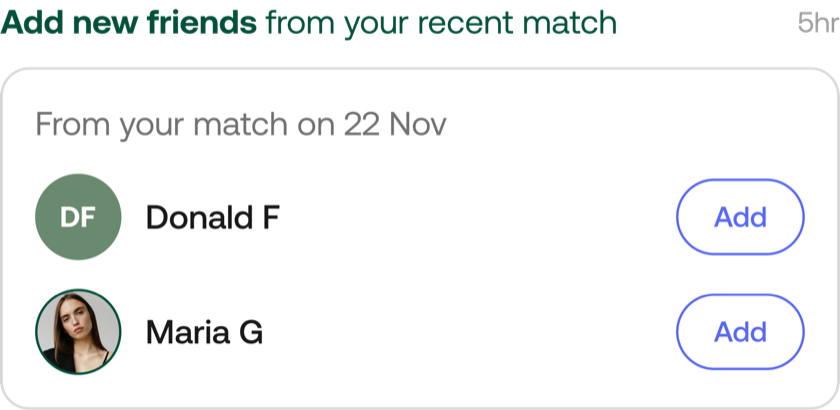
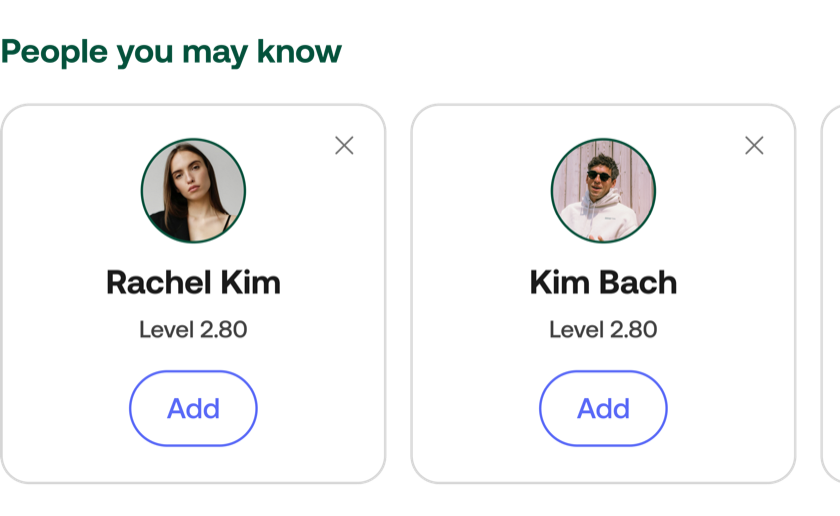
What the feed is assembled from: a private match invitation, an accepted friend request, players from your last match, and people you might know.
Close to 10,000 friendships in the two months after launch.
~10,000
Unique friendships created on the platform in roughly two months from release, counted by Nettla's own development team. The first 24 hours produced between 1,500 and 2,000 of them, and the product owner reported that Friends had already become the most-used feature in the app's history.
Friends, Social Feed and Club Home are all live in the official Nettla app today.
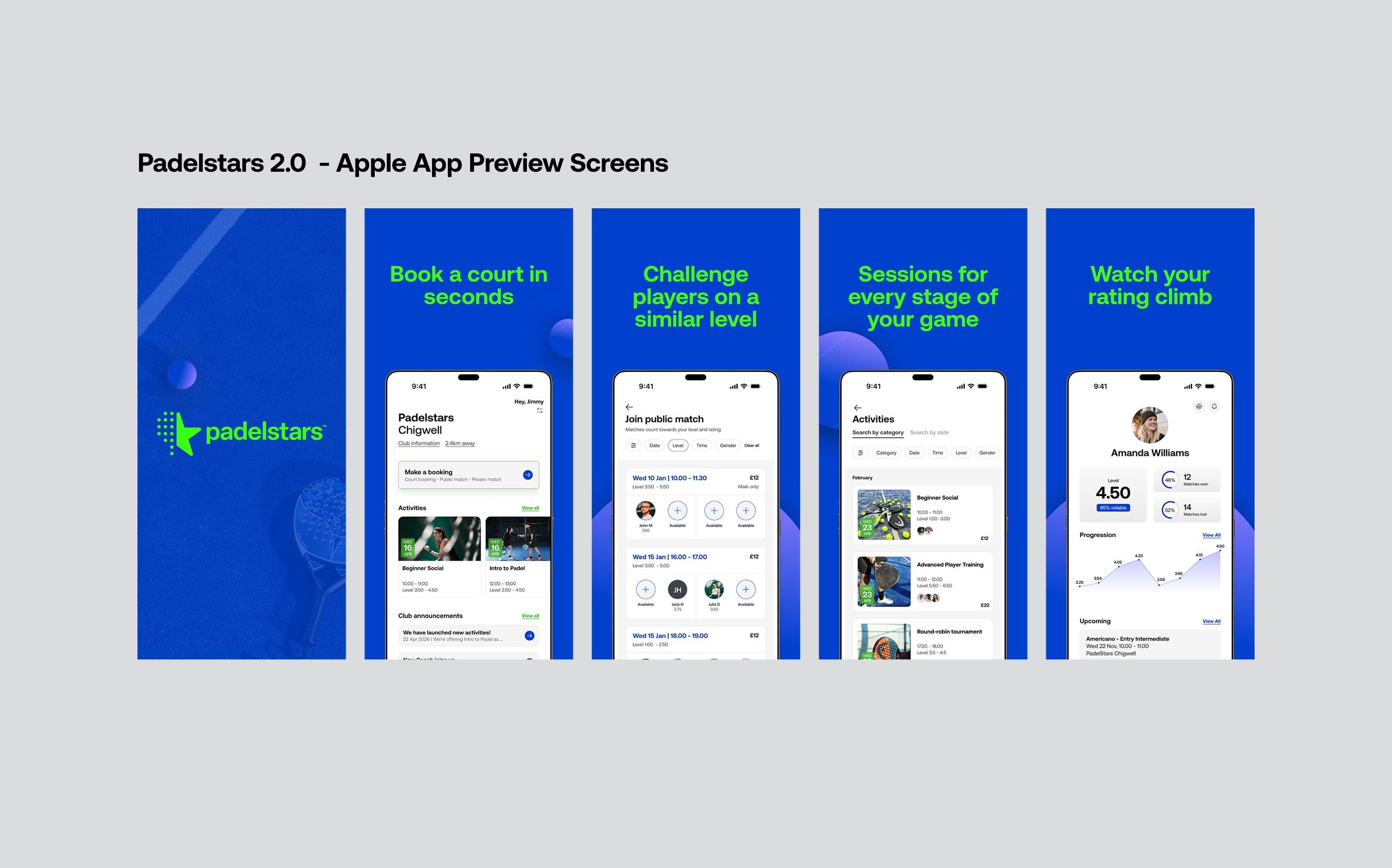
In my final weeks I also produced ad creative for the App Store and Google Play, and worked on improvements across the admin tool and other parts of the player app. The preview screens below are for Padelstars 2.0, one of the branded builds.
The work kept shipping without me in the room.
Two months was the engagement. Nettla's developers have been building and releasing flows I designed in the months since, with more still in the pipeline. That is the part of the approach I care most about: complete flows in Figma, walked through with the developers once, then built correctly when I am no longer there to answer questions.
Each of these is Nettla's own public release note, not my summary of it.
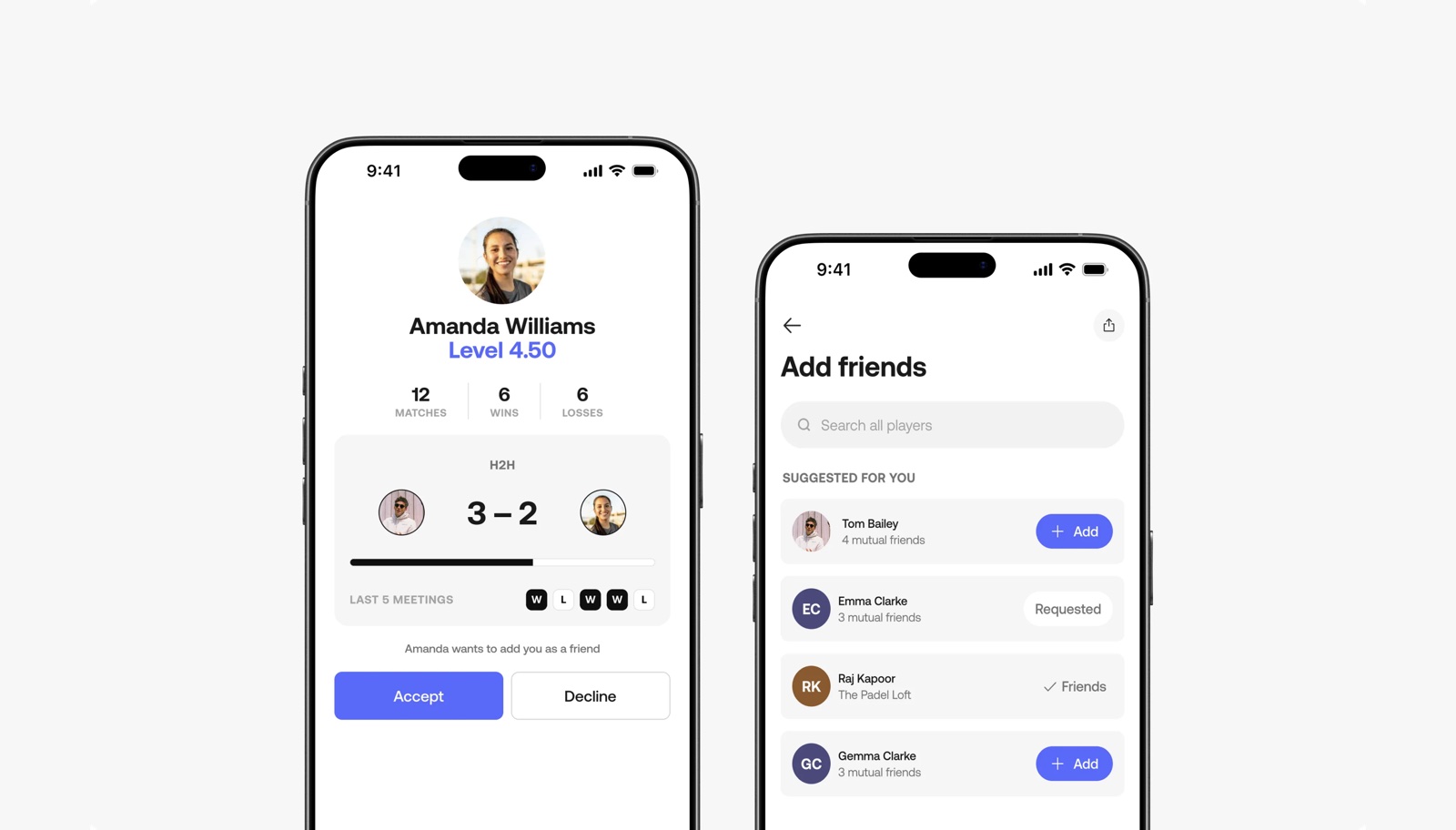
Released 23 July 2026. Add players by search or profile QR code, get suggestions based on who you have actually played, and see your record against anyone you have faced. Release note ↗
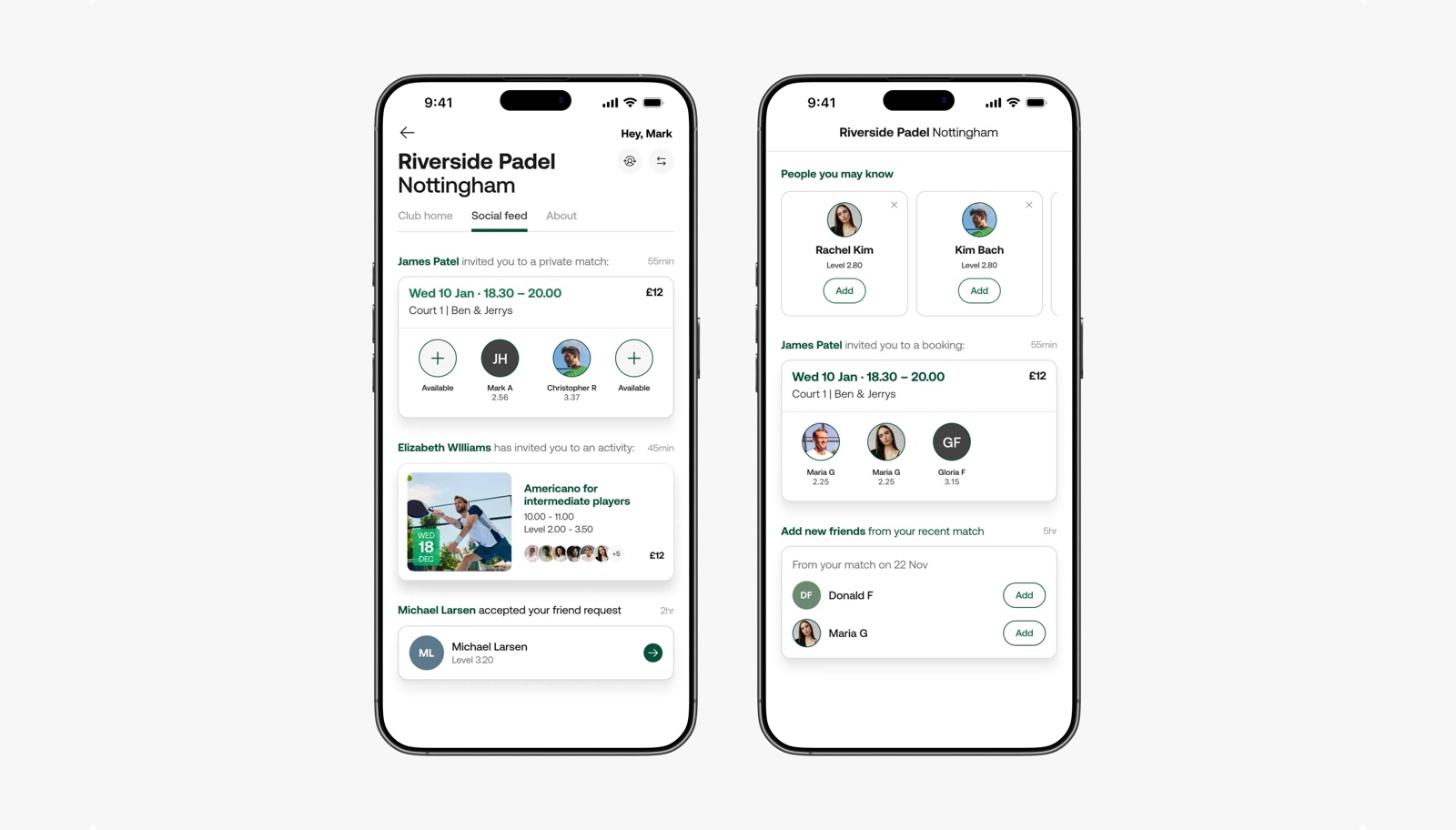
Released 6 August 2026. A shared space per club where friends' bookings and matches become something to react to and join, rather than something you miss. Release note ↗
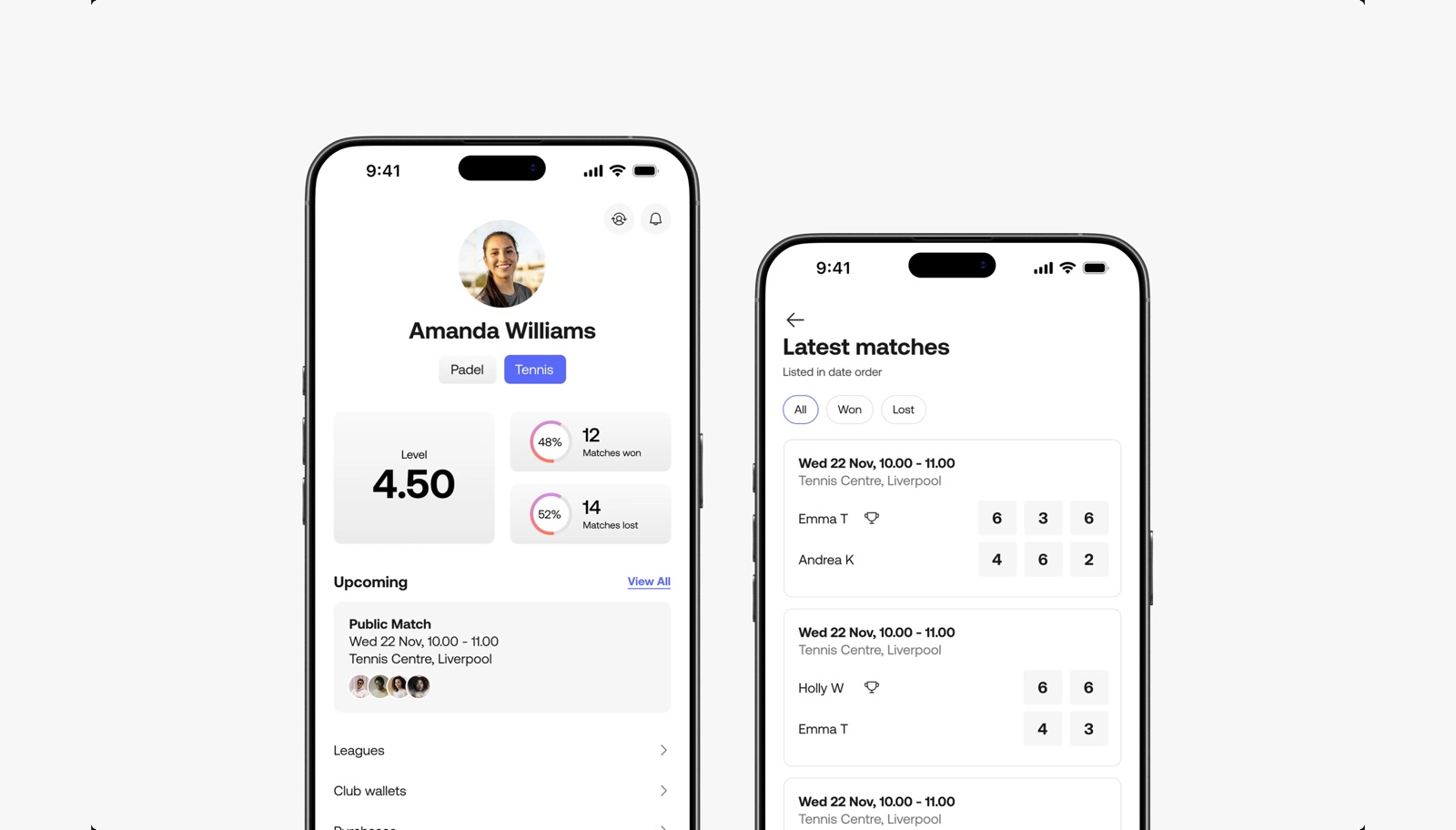
Released 27 August 2026. The padel skill system extended to tennis: levels 1.00 to 7.00 across named categories, self-assessed on signup, applied to singles and doubles. Release note ↗
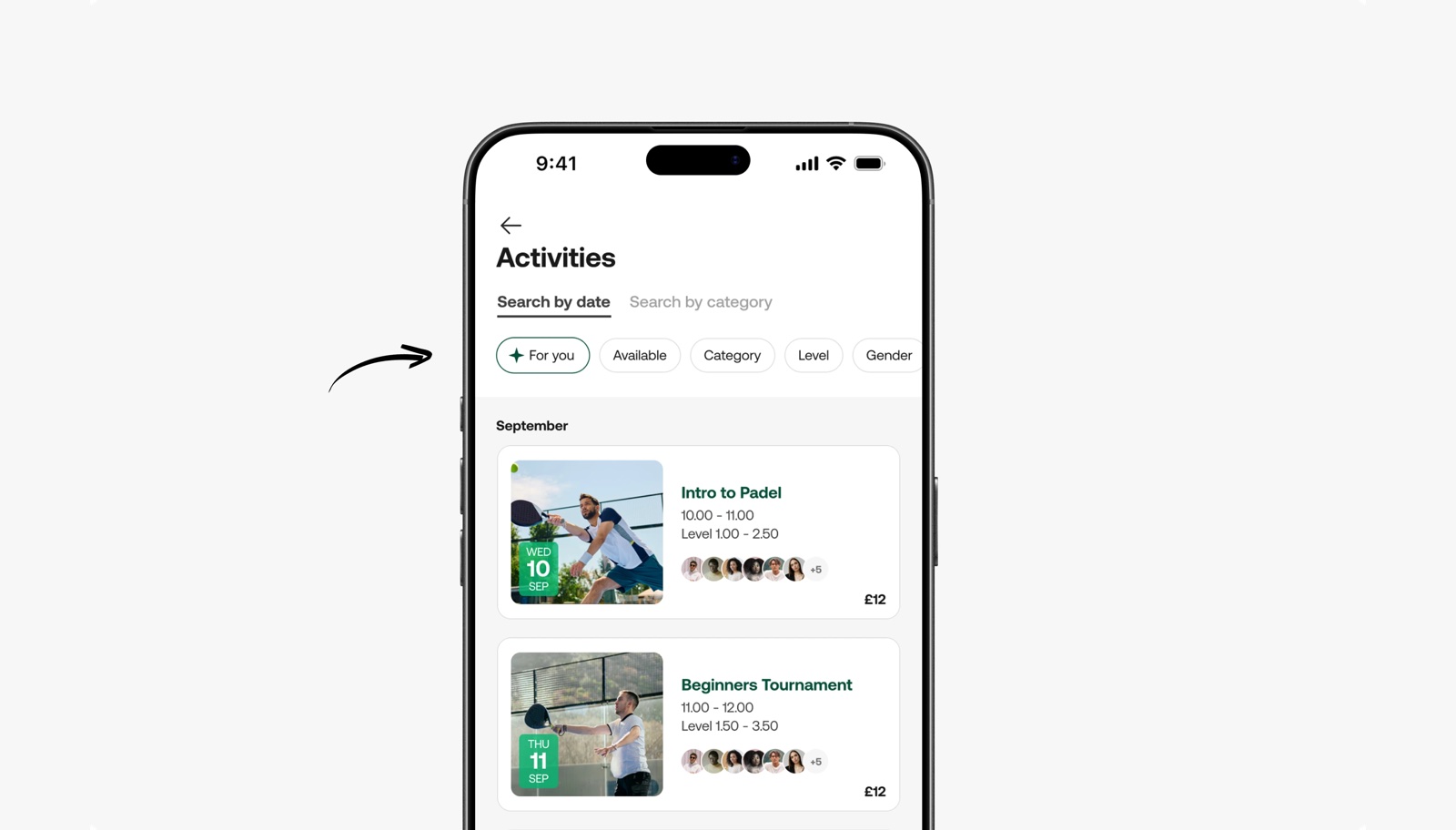
Released 3 September 2026. One tap narrows a club's activities feed to the player's level, gender and age, working from their profile with no setup. Release note ↗